OPNsense for your home, set up in 5 minutes.
Your router runs OPNsense, the open-source firewall. CalmWall is a program on top of it that does the hard settings for you: separate networks, ad and threat blocking, protection from attacks. In plain words, with nothing hidden.
What you get
What a careful network engineer would set up at home, explained in plain words.
Separate networks
Guests, smart home devices (TVs, speakers, plugs) and kids each get their own network, away from your computers and phones.
No ads, no dangerous sites
Blocked for every device in your home, with encrypted DNS. Nothing to install on phones or TVs.
Active Protection
Watches internet traffic for attacks and known threats, and stops them. If it ever fails, your internet keeps working.
See what is going on
One page shows your internet, traffic per network, blocked threats and the router's health.
See how it looks
From setup to everyday use, full screens. Swipe or use the arrows; scroll inside a tall screen.
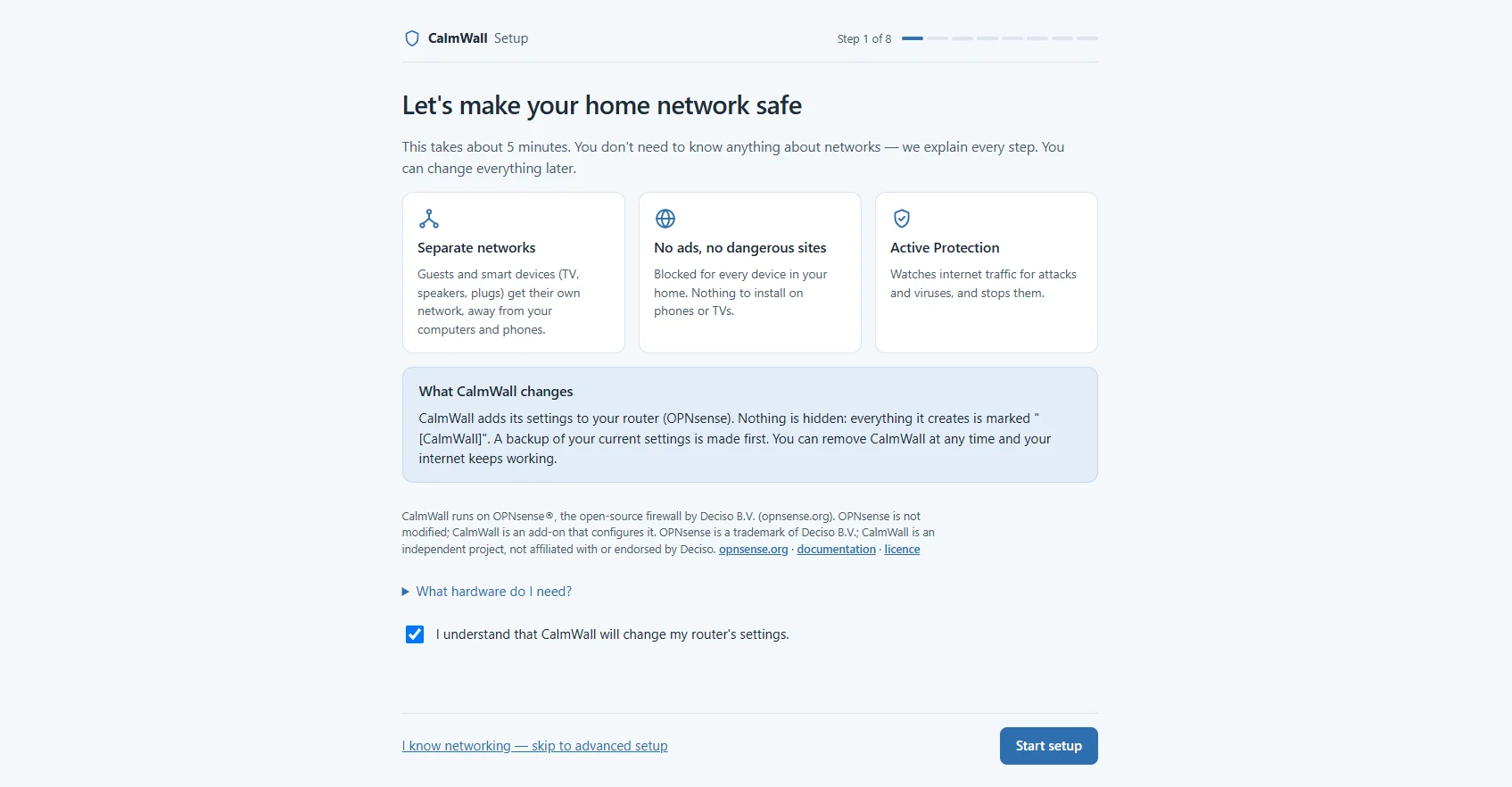
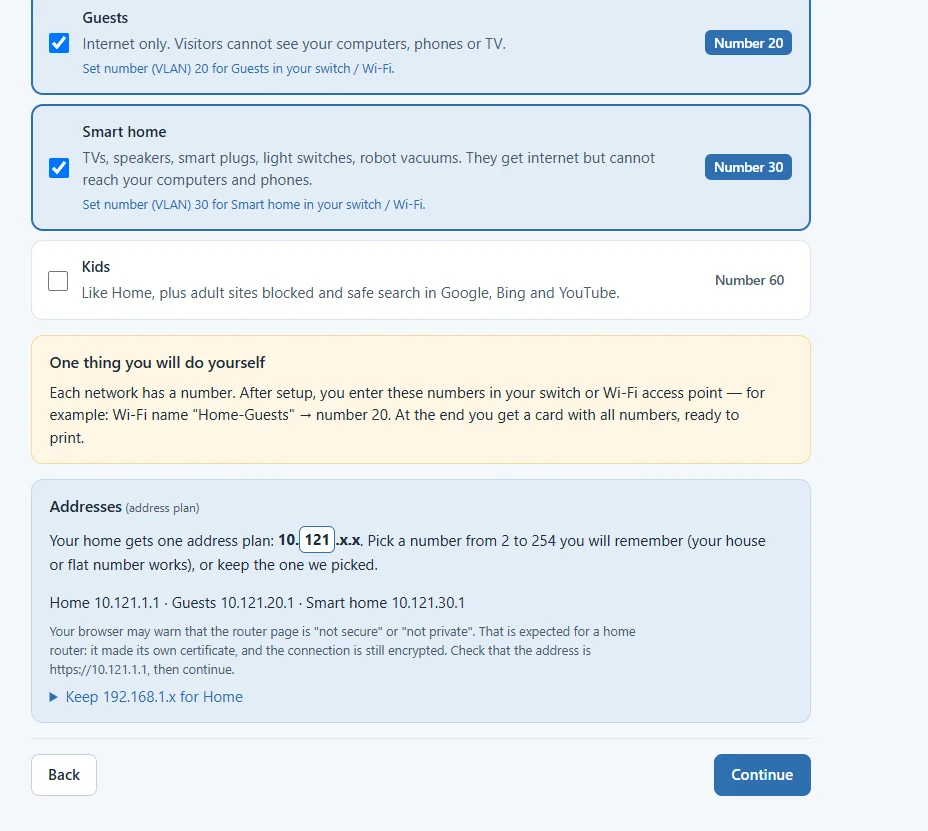
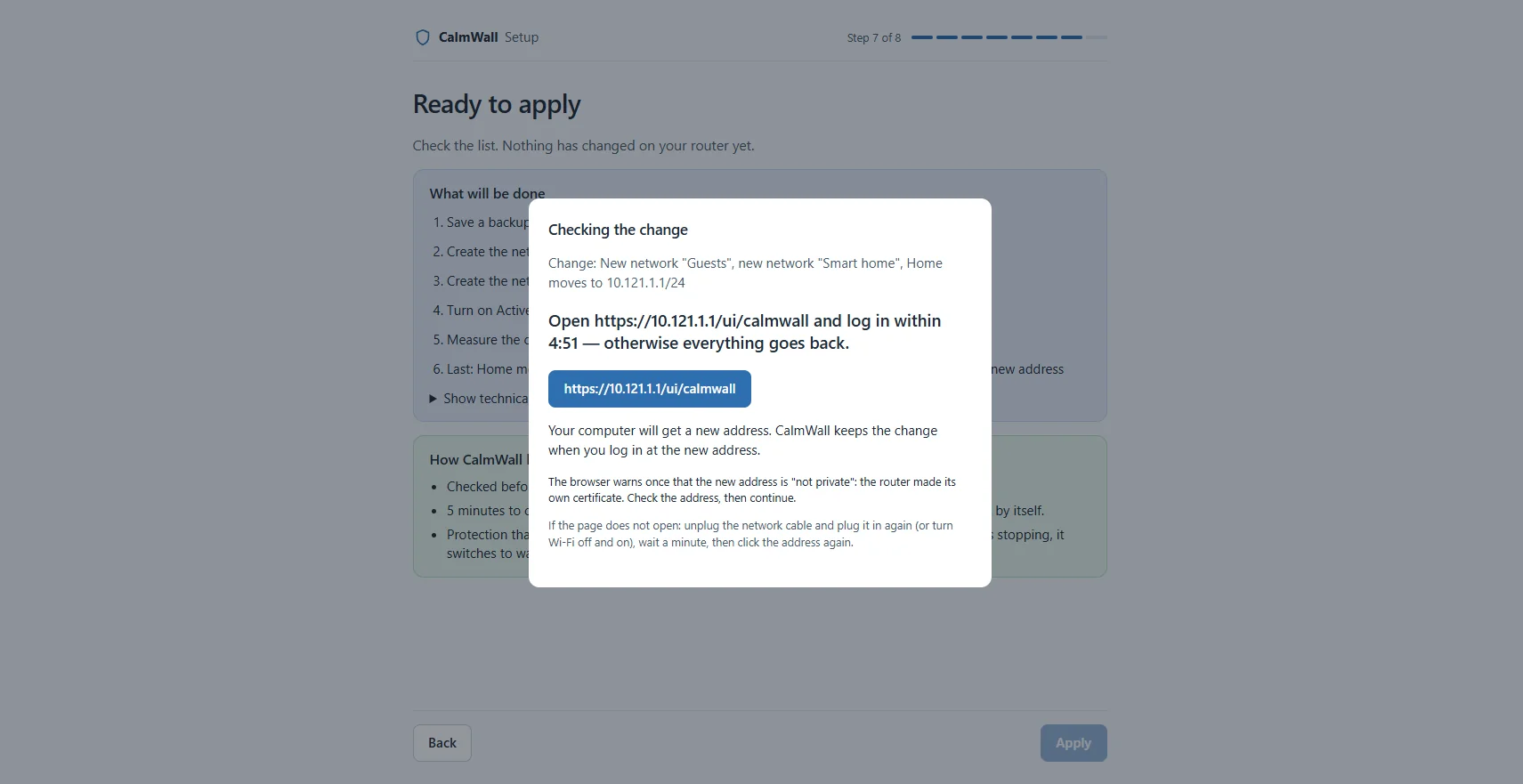
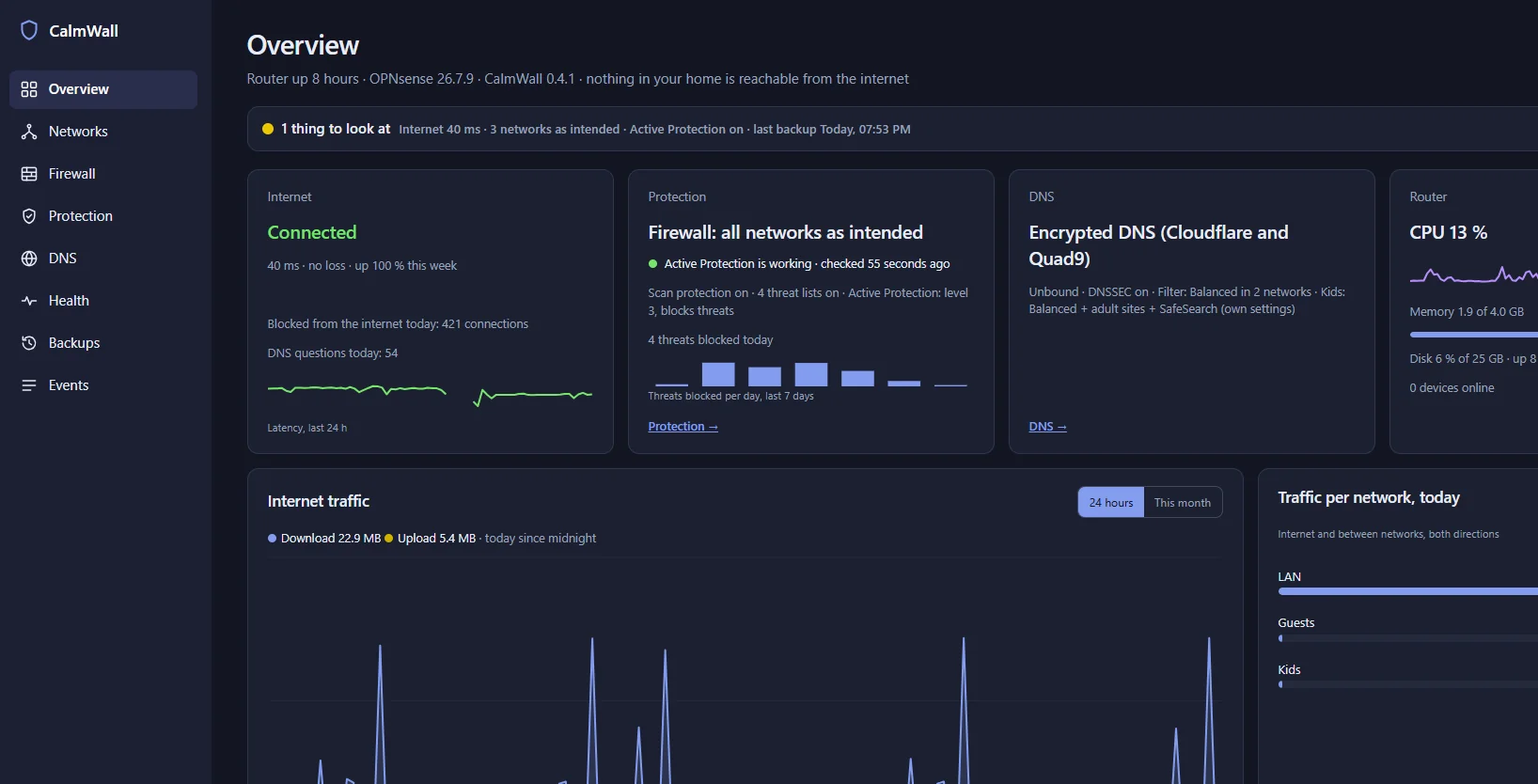
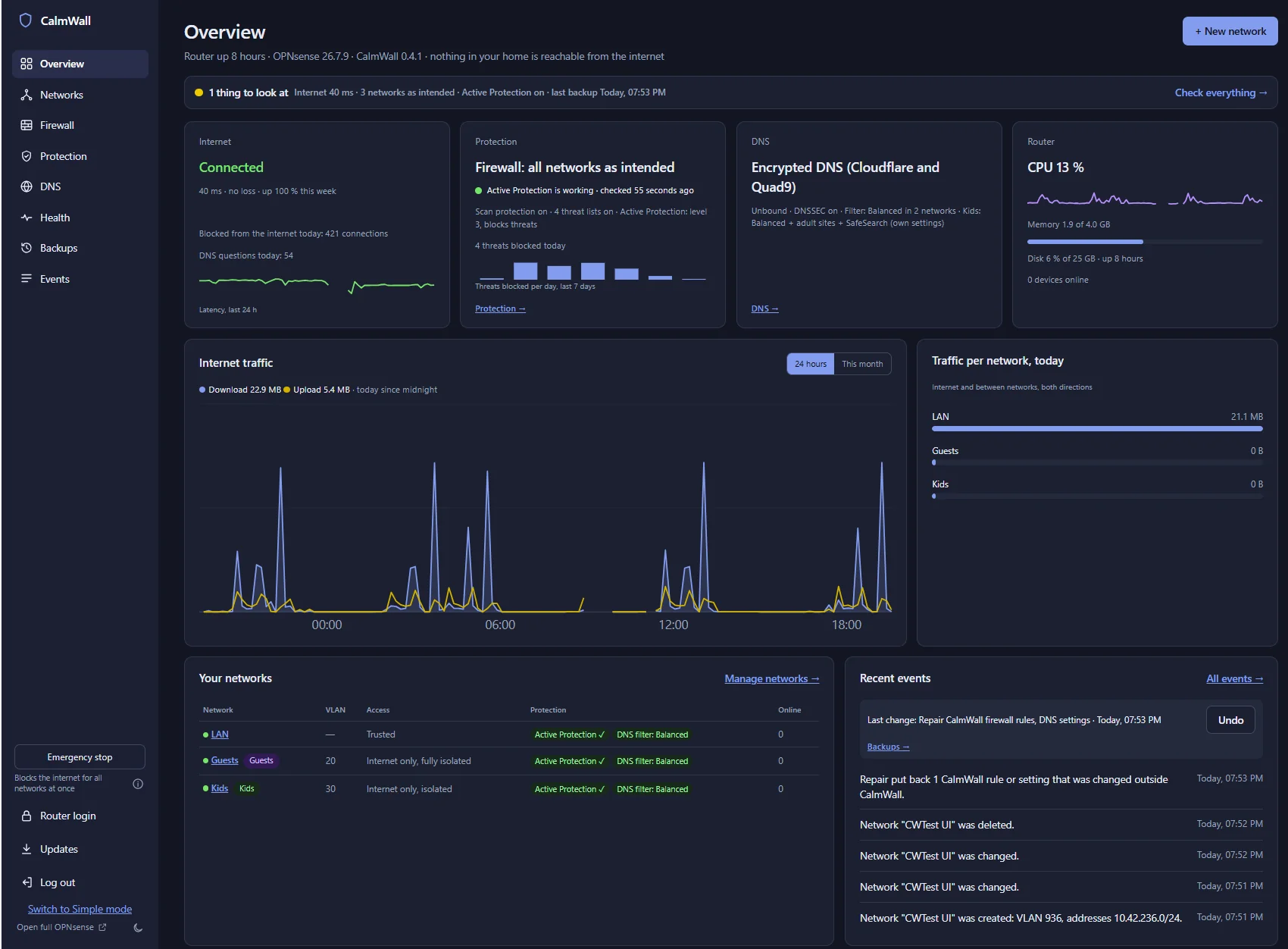
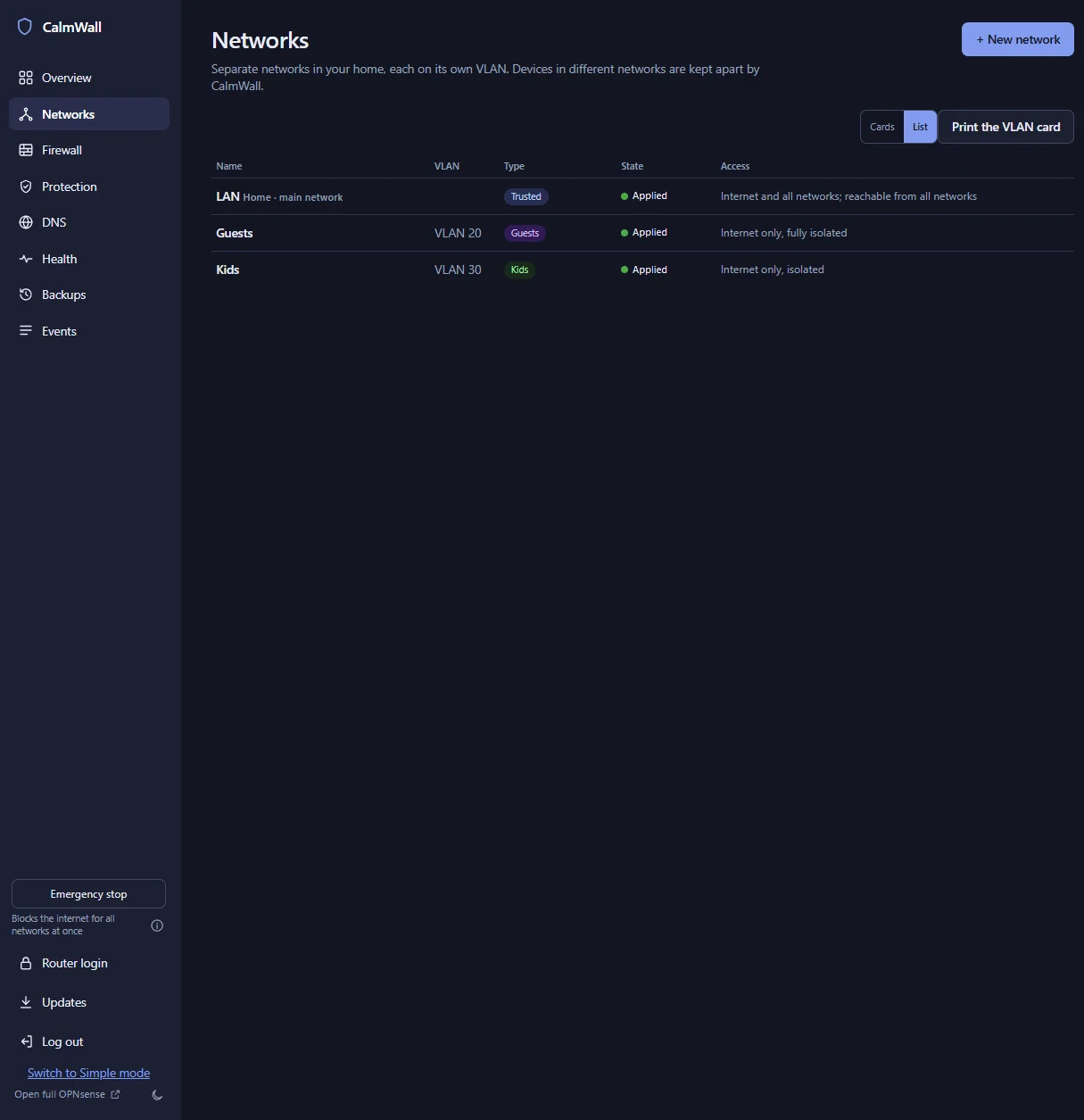
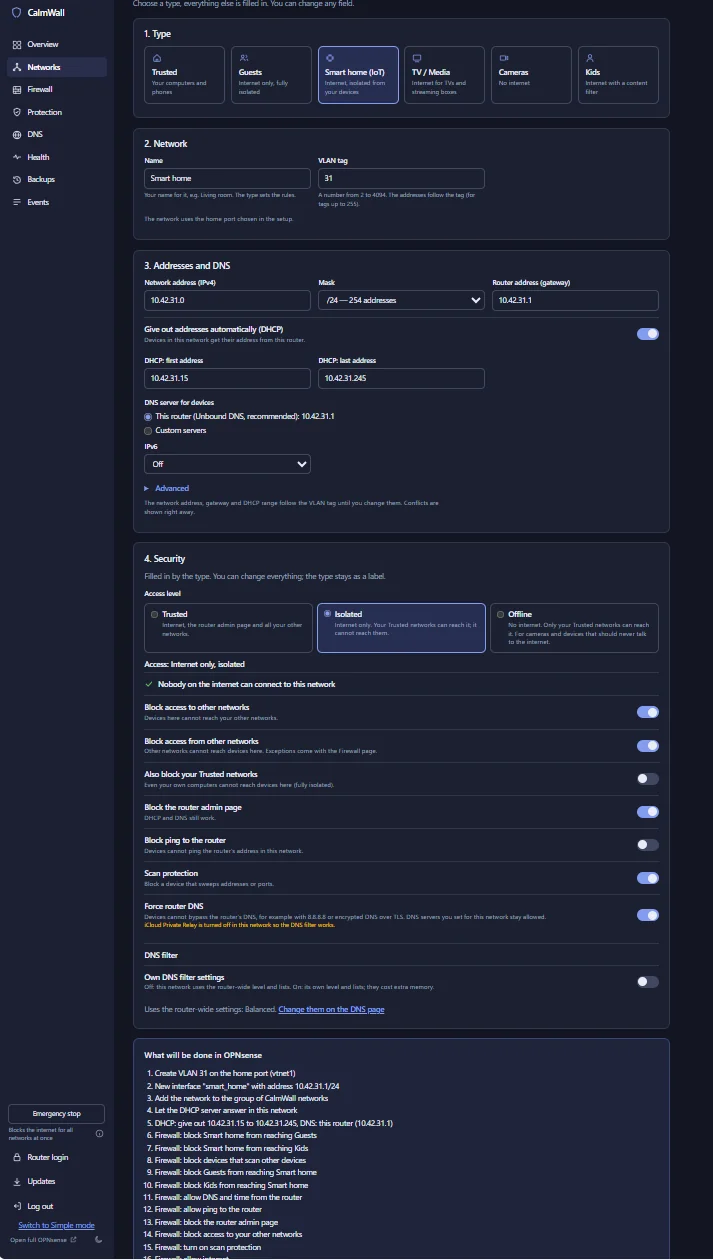
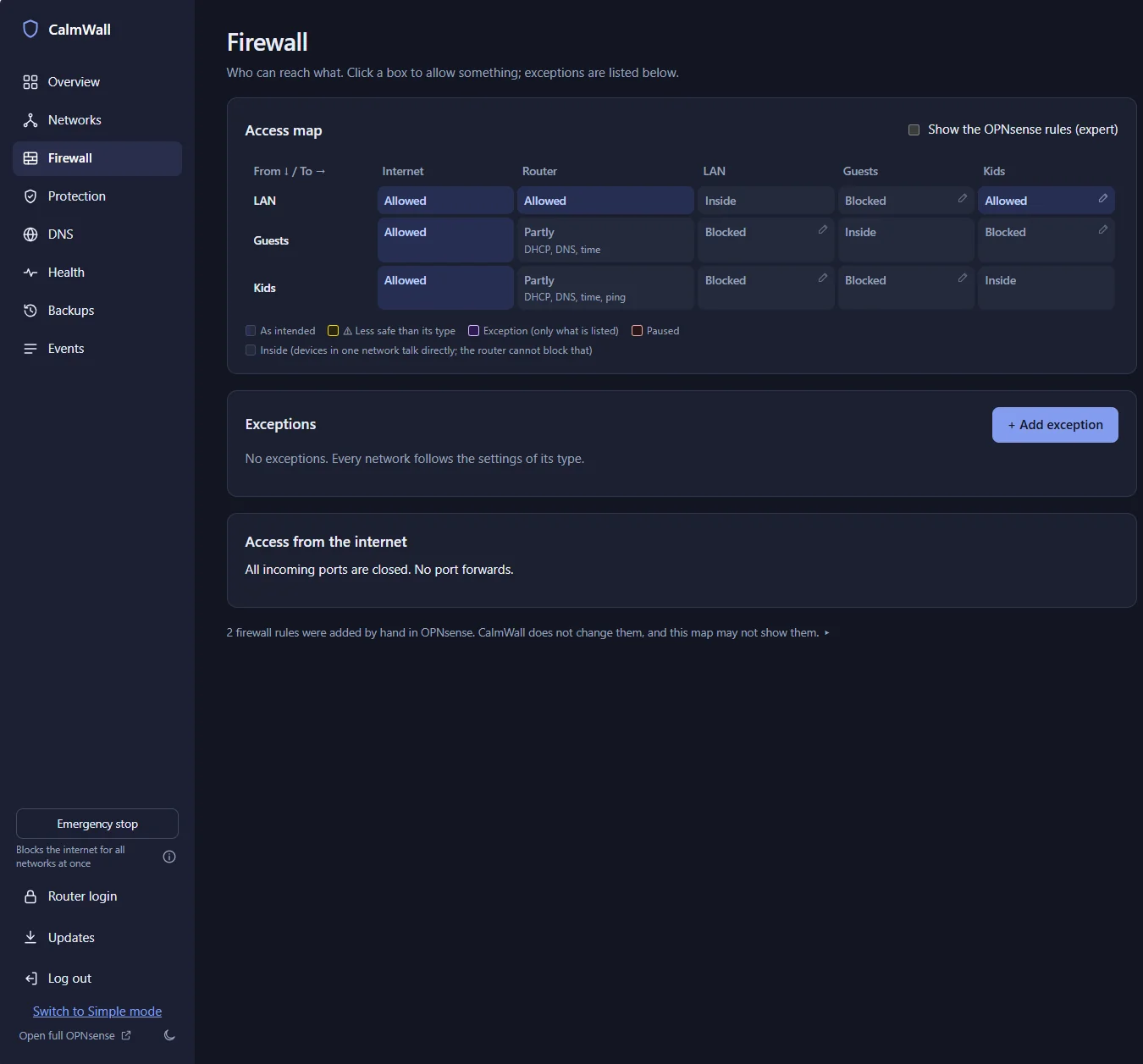
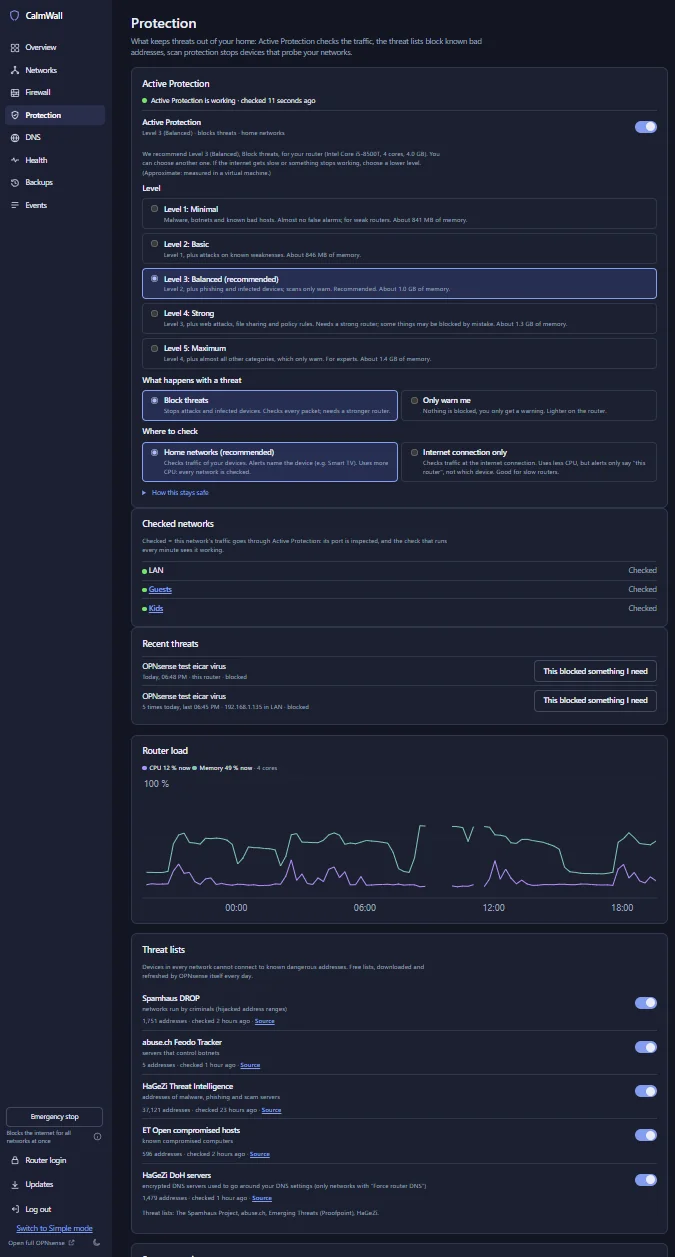
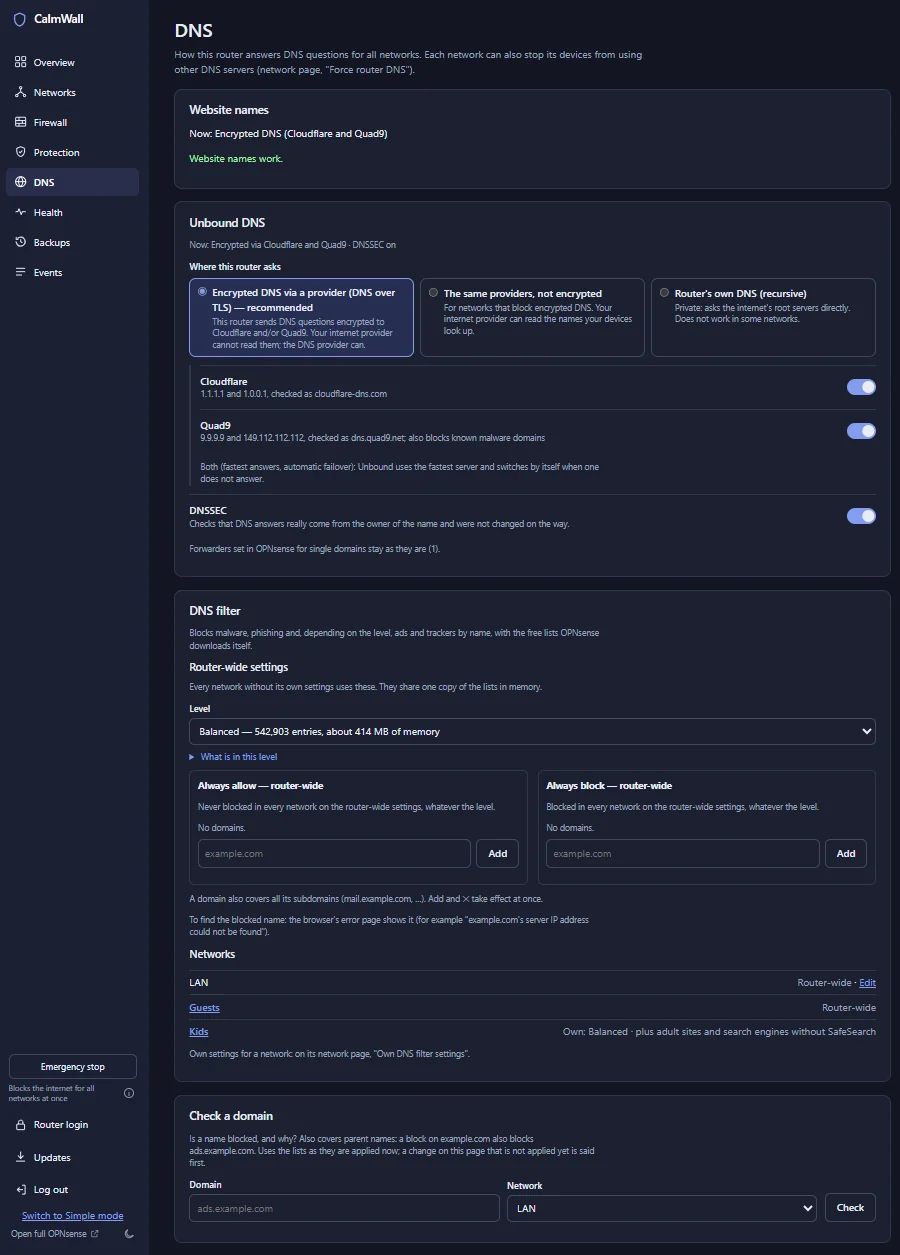
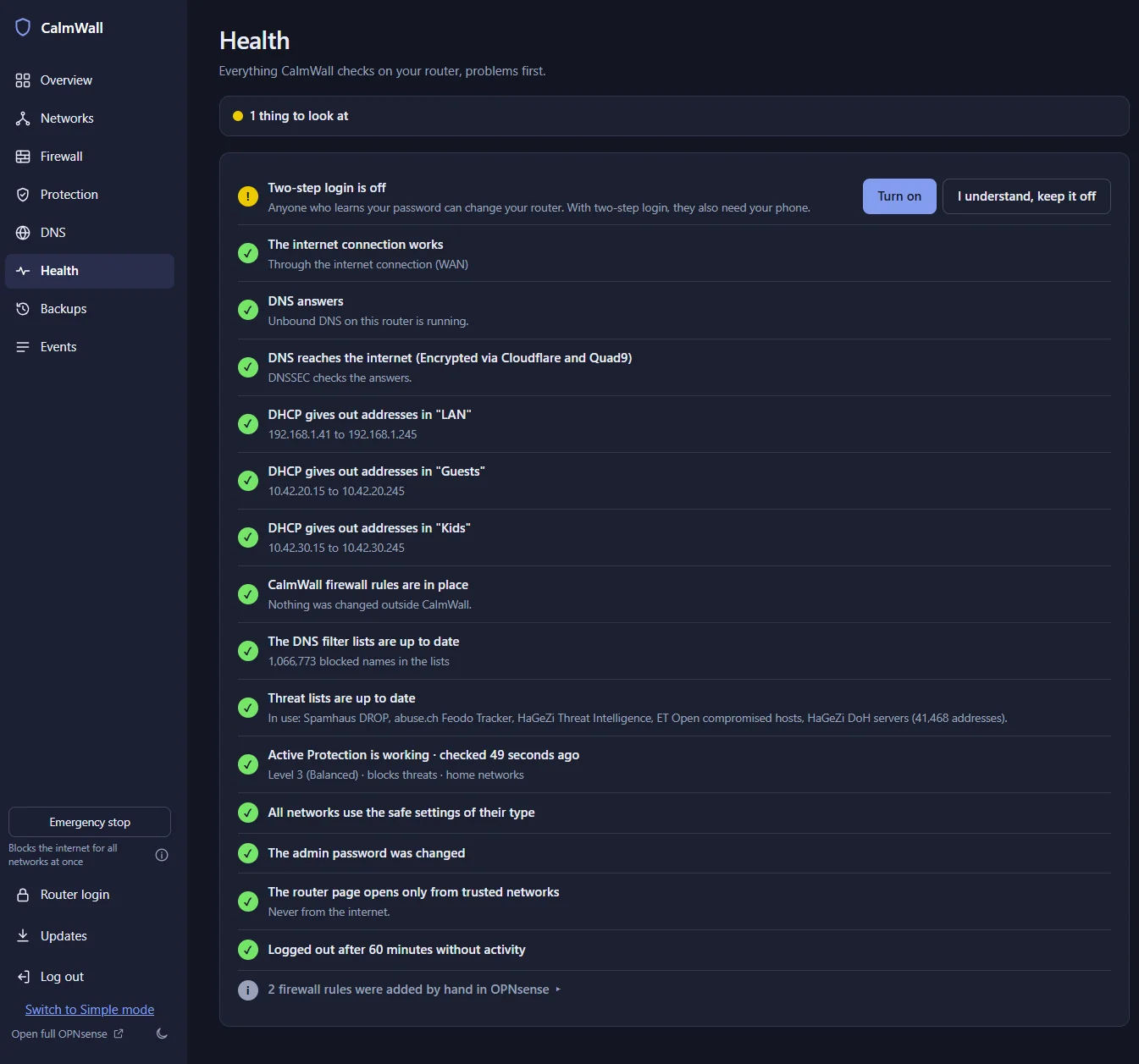
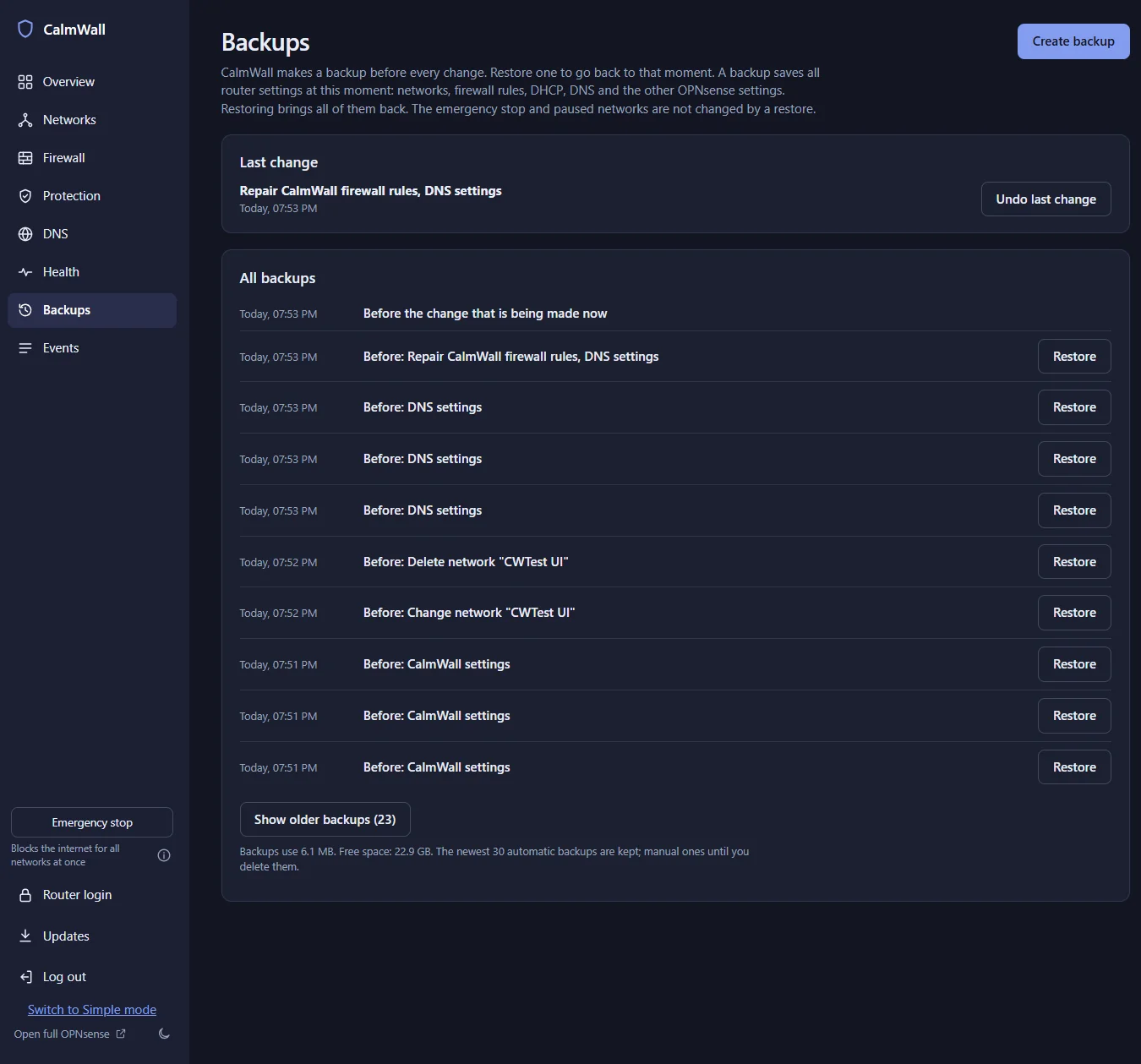
Screens from the beta in our test lab. The router's internet address is hidden.
Built so you can't break it
A router is the one device the whole family depends on. CalmWall is careful with it.
- Checked before applyingA setting that would not work is never applied.
- Undoes itselfAfter a change you confirm that you can still reach the router. If you can't, everything goes back by itself.
- A backup firstYour current settings are saved before every change.
- Nothing open to the internetCalmWall never opens your home to the outside, and checks that nothing else does.
- Nothing hiddenEverything CalmWall creates is a normal OPNsense setting, marked “[CalmWall]”.
- Remove it any timeYour network keeps working without CalmWall.
How it works
OPNsense does the work; it is not modified. CalmWall sets it up for you and shows it in plain words. The full OPNsense interface is always one click away.
- Get a small PCAny x86 mini PC with at least two network ports (see below).
- Install OPNsense and CalmWallOr add CalmWall to the OPNsense you already run.
- Answer a few questionsThe setup explains every step and takes about 5 minutes.
- Set the network numbersEnter them in your switch or Wi-Fi access point. You get a card with all numbers, ready to print.
What hardware do I need?
It depends on your internet speed and on whether you turn on Active Protection.
| Internet speed | Without Active Protection | With Active Protection |
|---|---|---|
| 100 Mbit/s | any 2-core x86, 4 GB RAM | 4 cores, 8 GB |
| 500 Mbit/s | 4 cores (e.g. Intel N100), 8 GB | 6 cores (Intel Core i5 8th gen+), 8 GB |
| 1 Gbit/s | Intel N100/N150, 8 GB | Intel Core i5 10th gen+, 16 GB |
| 2.5 Gbit/s | Intel Core i3/i5 10th gen+, 8 GB | Intel Core i5 12th gen+, 16 GB |
Approximate. At least two network ports; Intel network cards recommended (i210, i225, i226). Runs on OPNsense 26.7 or newer.
Pricing
OPNsense itself stays free. An expired CalmWall licence never breaks your network: only updates and support stop, everything keeps working as it is.
Beta now
- All features
- Beta updates
- Community support
CalmWall 1.0 planned
- All features
- Signed, tested automatic updates
- Support
CalmWall Pro
- Phone app and alerts
- Remote access and VPN
- Per-device features
Beta testers get 70% off their first year of CalmWall 1.0, and 50% off after that, for up to two routers.
Join the beta
We are looking for people who will run CalmWall at home and tell us honestly what was hard. Leave your email and we will write when the beta opens.
You confirm by email and can leave any time. We only write about CalmWall. The list is kept by Buttondown. Privacy
Questions
Is CalmWall a different firewall?
No. Your router runs OPNsense, unmodified. CalmWall is an add-on that sets OPNsense up for you and shows it in plain words. You can always open the full OPNsense interface.
Do I need to know networking?
No. The setup explains every step. The one thing you do yourself is enter the network numbers in your switch or Wi-Fi access point, and you get a card for that.
What happens if I remove CalmWall?
Your network keeps working. All CalmWall settings are normal OPNsense settings, so they stay and you can manage them in OPNsense.
What happens when OPNsense updates?
CalmWall saves the whole system before an update, so it can be undone. If CalmWall stops working after an update, your network keeps working; only the CalmWall pages may be unavailable until a fix is out.
Does CalmWall send my data anywhere?
No. CalmWall has no cloud and sends nothing to us. Your router talks only to the services a router needs: OPNsense updates, the DNS providers you choose, and the sources of the threat and ad lists.
Can I read the code?
Yes. The source code will be published so anyone can read and audit it.